
Go to Windows platform Display platforms icon
Go to Windows platform Go to Mac platform Go to Android platform Go to iOS platform
MP3Tag icon

MP3Tag

3.34.1
4.6 5 reviews
430.3 k downloads
security security

Edit audio file metadata

Advertisement
Remove ads and more with Turbo
Advertisement
Remove ads and more with Turbo
Merche Contreras icon
Reviewed by
Merche Contreras
Content Editor
Merche Contreras is part of Uptodown's in-house Editorial Team. Translated by Uptodown Localization Team

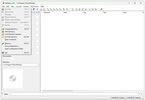
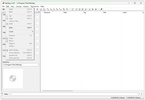
MP3Tag is a powerful and versatile metadata editing tool that allows you to organize, modify and manage audio file tags quickly and efficiently. The app supports a wide variety of formats, including MP3, FLAC, OGG, WAV, AAC, MP4, M4A, and WMA so you can keep your music library in perfect order without any compatibility issues.

Bulk edit tags

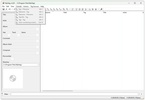
One of MP3Tag's main features is that it allows you to edit multiple files at the same time, helping you organize your library faster. Thanks to this you can change any data about your songs like the title, album, artist, genre or track number in a matter of seconds. What's more, the app offers support for tagging standards such as ID3v1, ID3v2.3, ID3v2.4, MP4, WMA and Vorbis Comments. This ensures maximum compatibility regardless of the player you use on your PC.

Advertisement
Remove ads and more with Turbo

Automatically add information

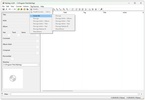
Another of MP3Tag's outstanding features is its ability to automatically add album information and cover art. The tool will search some of the largest databases including Discogs, MusicBrainz and freedb. With this function you can complete or correct song tags without having to enter data manually. This way, you can keep a visually appealing library and display the album covers on your music players without having to manually search online for the images.

Convert file names using metadata

MP3Tag also allows you to rename audio files using the metadata, giving you the ability to create naming structures based on information such as artist, album, track number or title. You can extract metadata from file names or paths, which will be a great help when it comes to organizing and restructuring any mislabeled or incomplete libraries.

Small and fast

Finally, it should be noted that MP3Tag is a lightweight app that doesn't consume a great deal of resources, so it will run efficiently even on the most limited computers.

Download MP3Tag for free and organize your audio tracks using their metadata, fill in all the relevant information about your favorite songs and complete your libraries in the best possible way.

Information about MP3Tag 3.34.1

Basic information

Developer MP3Tag
Category Utilities
Rating All ages
Languages English
1 more

Distribution model

Pricing Free
License Owner
Copyright © 2026 MP3Tag
Why is this app published on Uptodown? (More information)

Security and privacy

Required permissions Not applicable
See security and antivirus report

Download info

Downloads 430,266
Date May 7, 2026
File type EXE
Size 5.69 MB
SHA256 8c01e57dcf5073c22d369ef381473b592bacca39db8ee9cee32ceaa8a134522c
Advertisement
Remove ads and more with Turbo

Older versions

See more
exe 3.34 Apr 10, 2026
exe 3.33.1 Feb 6, 2026
exe 3.33 Jan 23, 2026
exe 3.32 Nov 14, 2025
exe v3.31a Aug 19, 2025
exe 3.31 Aug 15, 2025

Rate this App

Review the app
MP3Tag icon

Rating

4.6
5
4
3
2
1
5 reviews

Comments

mayllonkevin icon
mayllonkevin
in 2024

Very good, I liked it for the simplicity and performance in what I intend to do.

4
Reply
nardao icon
nardao
in 2021

I give it a 4; excellent program. It's just missing a feature that allows creating subdirectories, e.g., a directory called Kansas - 1987 - Driver Road, and I want to create a sub named Covers or Art....See more

4
Reply
Advertisement
Remove ads and more with Turbo
Dolby Access icon
Activate and configure Dolby Atmos on your Windows PC
Voicemod - Live Voice Changer icon
Change your voice with this complete modulator
iTop VPN icon
Hide your IP and browse the Internet
SoundWire Server icon
Use your telephone to listen to what's happening on your PC
WO Mic icon
Use your smartphone as a microphone
FxSound icon
Equalize and improve the sound quality on Windows
Ableton Live icon
Professional and easy-to-use music production software
Music Collection icon
An easy and comfortable way to organize your music.
Spotify icon
Stream your favorite artists for free
iTunes icon
Apple's comprehensive multimedia player and online marketplace
VirtualDJ icon
Create great DJ sets and stream them online
Dolby Access icon
Activate and configure Dolby Atmos on your Windows PC
Apple Devices icon
Manage and update your Apple devices
AIMP icon
Excellent choice for audio playback
Audacity icon
Record and edit all types of audio files
Voicemod - Live Voice Changer icon
Change your voice with this complete modulator